Preparing to take the Architect Registration Examination® (ARE®) in person? From check-in to completing your exam, here’s what you can expect at a PSI test center. Review NCARB’s and PSI’s policies from the ARE Guidelines before your next in-person appointment.
Before Your Appointment
Making sure your appointment goes smoothly starts well before you arrive at the test center. Taking care of key requirements ahead of time, like confirming your ID and requesting any accommodations, can help you avoid delays or missed appointments.
- Request accommodations before scheduling your exam. If you need an Americans with Disabilities Act (ADA) or English as a Second Language (ESL) accommodation, keep in mind that you must request the accommodation and receive written approval from NCARB before scheduling your appointment.
- Check your ID. Make sure you have a valid, signed photo ID with a first and last name that match those in your NCARB Record, including any double names or hyphenated surnames.
- Review the candidate agreements. It’s always a good idea to review the ARE Candidate Agreement so you understand the rules you’ve agreed to uphold during your in-person administration. You will be asked to confirm that you’ve read the candidate agreement when you schedule your appointment and again when you start your exam. You should also review the PSI Test Center Candidate Security Agreement, which you'll sign at check-in.
You should also confirm your appointment details—double-checking the date, time, and address—before the day of your appointment to avoid any surprises on test day. Remember—you cannot cancel or reschedule once you’re less than seven days out from your appointment.
Arriving at the Test Center
Plan to arrive at the test center at least 30 minutes before your scheduled appointment. If you arrive more than 30 minutes after your scheduled appointment time, you may be required to forfeit your appointment, and your test fee will not be refunded.
Your test session should begin within 30 minutes of your scheduled appointment. If circumstances arise that delay your test session more than 30 minutes after your scheduled appointment time, you will be given the choice to continue waiting or reschedule your appointment.
Tip: PSI maintains an updated list of test center closures and reopenings due to adverse weather or other factors—confirm that your test center is open before leaving for your appointment.
Checking In
Once you arrive at the test center, you’ll present your valid photo ID and review and sign the PSI Test Center Candidate Security Agreement.
Next, you'll store your belongings in a secure locker or bag provided by PSI. Bring only small personal items that fit in PSI's storage, such as your wallet, keys, phone, medication, and a small snack or water bottle. PSI can't store large items like purses, backpacks, briefcases, or laptops. Power off all electronic devices before you store them.
You can't access your belongings in the testing room, though you may access them during breaks or after your exam, once you've completed PSI's check-out procedures. Accessing stored belongings while you're testing, outside of an authorized break, may lead to your exam being canceled without a refund of your test fee.
Tip: Review NCARB’s list of pre-approved medical devices and personal items that are allowed during your test administration.
Security Screening
To ensure the integrity of the ARE, specific security measures are enforced prior to and during your exam administration. You'll go through a security screening before you enter the testing room and again each time you return from a break. During the screening, you will be asked to:
- Roll up/roll down sleeves
- Roll up pant legs (to the knee)
- Empty all pockets, including back pockets
- Remove glasses, tie tacks, buttons, and other apparel for inspection
- Show ears to ensure electronic devices are not in use
- Be scanned with a handheld metal detector wand
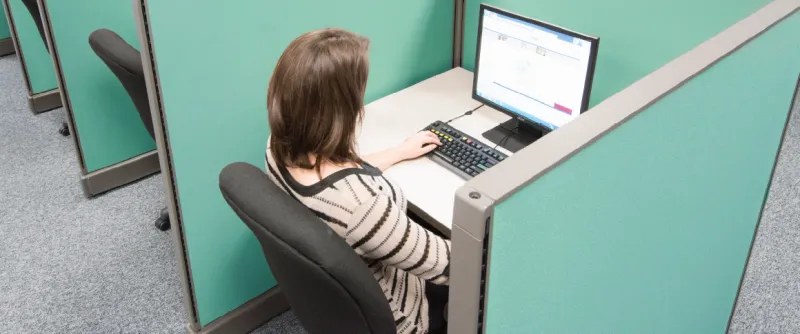
Candidates refusing to be scanned may not be permitted to test. Following the security screening, the proctor will escort you to your workstation. You must remain in your seat during your examination, except when authorized to leave by the test center staff.
In the Testing Room
Once you enter the testing room, keep in mind that the following items, including but not limited to those listed below, are not permitted:
- Electronic devices of any type (must be turned off), including cell phones, smart watches, computers, calculators, tablets, headphones, earbuds, etc.
- Bulky or loose clothing or coats that could be used to conceal recording devices or notes, including all outerwear
- Hats or headgear not worn for religious reasons
- Reference materials, notebooks, paper, and pens
- Other personal items, including purses, wallets, keys, backpacks, large jewelry, food, drinks, etc.
Tip: Review the PSI Test Center Candidate Security Agreement for additional information on items not allowed in the testing room.
Taking a Break During Your Exam
Each division of the ARE includes break time, which may be used all at once or split into multiple breaks throughout your test. If you need additional breaks beyond your allotted time, you may still take a break, but the exam timer will continue to count down.
Please make sure to use the following process each time you take a break:
- Navigate to the “Exam Summary” page.
- Click the “Break” button in the upper-right corner.
- A pop-up window will appear that asks, “Do you wish to start a break?” Click “Yes” in the lower left corner if you are sure you want to use your break time.
- The “On Break” screen will appear.
- Notify the proctor that you are starting a break and show them the “On Break” screen
You must comply with all PSI re-admittance security procedures each time you return from a break.
Your proctor must confirm you have navigated to the “On Break” screen before you leave, and you must remain within the PSI test center during your break. Failure to comply may result in your exam being terminated without a refund of your test fees.
Tip: When you start a break, every question you've already viewed is locked, including any you marked for later review. You won't be able to view or change those answers again, so be sure to review them before your break begins.
Candidate Conduct at the Test Center
It’s very important to follow all test center rules and proctor instructions for your entire appointment. Misconduct, or ignoring a proctor's warning to stop inappropriate behavior, may lead to dismissal from the test center, canceled exam results, suspended exam eligibility, or referral to NCARB's Professional Conduct Committee for disciplinary review. Exams affected or canceled because of misconduct are not refunded.
Examples of misconduct in the test center include, but are not limited to:
- Creating a disturbance of any kind
- Removing or attempting to remove examination questions and/or responses (in any format)
- Tampering with the operation of the computer or attempting to use it for any function other than taking the examination
- Leaving the testing room without permission
- Using any unauthorized references or devices
Candidates who engage in any form of misconduct are subject to NCARB’s Policy for the ARE: Exam Candidate Conduct, which establishes procedures in the case of candidate misconduct.
Completing Your Exam
When you are finished answering all items within your exam, click the “End Exam” button and confirm through the pop-up that you would like to submit your exam for scoring.
After ending your exam, you will be provided with provisional feedback on your exam performance. When you are finished with your examination, quietly leave the testing room. The test center administrator will dismiss you once you’ve completed PSI’s check-out procedures.
Tip: If a software or hardware problem occurs before or during your exam administration, please follow the steps outlined on our website and in the ARE Guidelines.
Knowing what to expect at the test center can help you feel confident on test day and stay focused on your exam. For complete details on in-person testing policies, always review the ARE Guidelines.
Preparing for an online-proctored appointment? Learn about NCARB’s and PSI’s online proctoring policies, from having a secondary camera to scheduling a test run.